
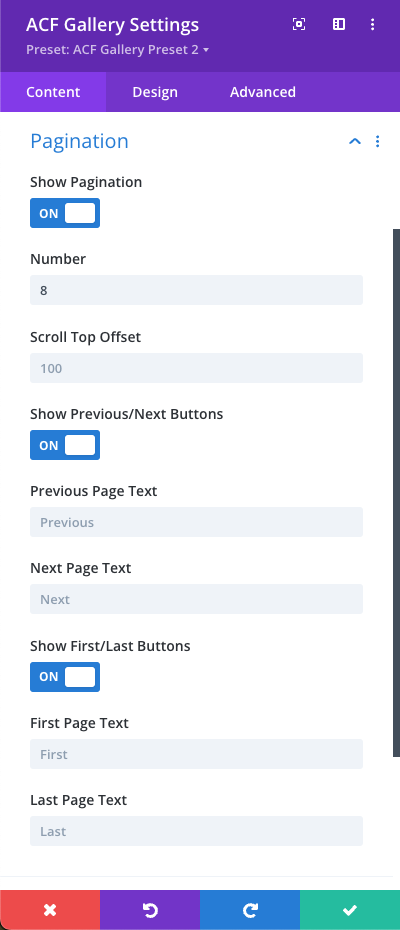
The Pagination section allows you to break large galleries across multiple pages to improve load times and user experience. You can easily configure how your navigation controls and page limits behave:
- Show Pagination: Toggle the entire pagination feature on or off.
- Number (Images Per Page): Define the maximum number of gallery items to display on each individual page.
- Scroll Top Offset: Set an optional pixel offset value to control scroll positioning when a user clicks to navigate between pages.
- Show Previous/Next Buttons: Enable or disable directional navigation buttons to let users step back and forth through the gallery pages.
- Show First/Last Buttons: Enable or disable quick-jump buttons that take users directly to the very first or last page of the gallery.
- Button Labels & Text: Customize the display text for your previous, next, first, and last page buttons to match your site language or branding.
0 Comments